Projects · 01 · AfterSchoolCincinnati, OH · 2025
Made With:
End-to-End UX/UI Designer
May '25 - Aug '25
Google UI/UX Certified

Designed for the students the system overlooks.

A mobile-first app turning missed opportunities into next steps.

Discover

Across the U.S., students from underserved communities are quietly slipping through the cracks. Opportunities exist, but the systems connecting students to them are broken. AfterSchool was designed to bridge that gap.
4.6M
Right arrow icon
2.7M
Participation in after-school programs among low-income students dropped from 4.6 million to 2.7 million children between 2014 and 2020.
13%
of public-school students participate in academically focused after-school programs.
NCES • secondary research
34%
Students lose approximately 25–34% of their math achievement gains and 17–28% of reading gains during summer break without continued learning engagement.
Atteberry & McEachin • secondary research
58%
of schools report they are unable to provide after-school programming to all students who want to attend.
NCES • secondary research
45%
Nearly half of U.S. children do not participate in any structured summer learning or enrichment programs.
Gallup • secondary research
With the problem defined, the next step was mapping the landscape already trying to solve it, direct competitors offering similar program-discovery tools, and indirect ones like general community platforms. This audit surfaced where existing solutions fell short and where AfterSchool could differentiate.
Direct & Indirect Competitors
Boys & Girls Clubs of America
Direct · In-person programs
Outschool
Direct · Live enrichment classes
Remind
Indirect · School communication
ClassDojo
Indirect · Classroom management
Khan Academy
Indirect · Self-paced learning

Boys & Girls Clubs of America

Direct
Positioning

A community-oriented organization dedicated to holistic youth development through in-person afterschool programs.

Strengths

Well-structured, holistic in-person programs with strong community impact.

Weaknesses

Dependent on physical locations — not scalable or digitally accessible.

Gaps this reveals → features it shaped
Accessibility for special needs Support for underprivileged students Lack of holistic program integration Community & mentorship connections Engagement during school breaks

No existing platform combines centralized discovery, accessibility-first filtering, and built-in community for underserved students. That's the gap AfterSchool fills.

Crown icon
The Key Insight
Students frequently learn about opportunities through teachers, parents, or peers rather than any centralized system. Whether a student finds what's available comes down to who they happen to know.

With a clear understanding of the problem and the students we're serving, we moved into the Define phase to map user needs and identify the specific moments where design could make the biggest impact.

Define

Through research, we identified four core barriers preventing underserved students from accessing enrichment programs.
Access is broken
Underprivileged students can't find reliable information about programs and opportunities — not because they don't exist, but because there's no centralized system connecting them.
The process filters out those who need it most
Scholarship and program applications are designed for students with time, resources, and support. Students juggling school, work, and family responsibilities are filtered out before they even begin.
Guidance is a privilege
Consistent mentorship is largely unavailable to underserved students, leaving them without direction on which opportunities to pursue or how to develop the skills to pursue them.
Networks are inherited, not earned
Access to mentors and industry professionals is largely determined by who your family already knows — a structural disadvantage that compounds over time for underprivileged students.
To understand these barriers at a human level, we created two distinct user personas representing the students most impacted by these challenges.
Maxine (Max)
14 Yrs
8th Grade
Cincinnati, OH
Mom & Brother
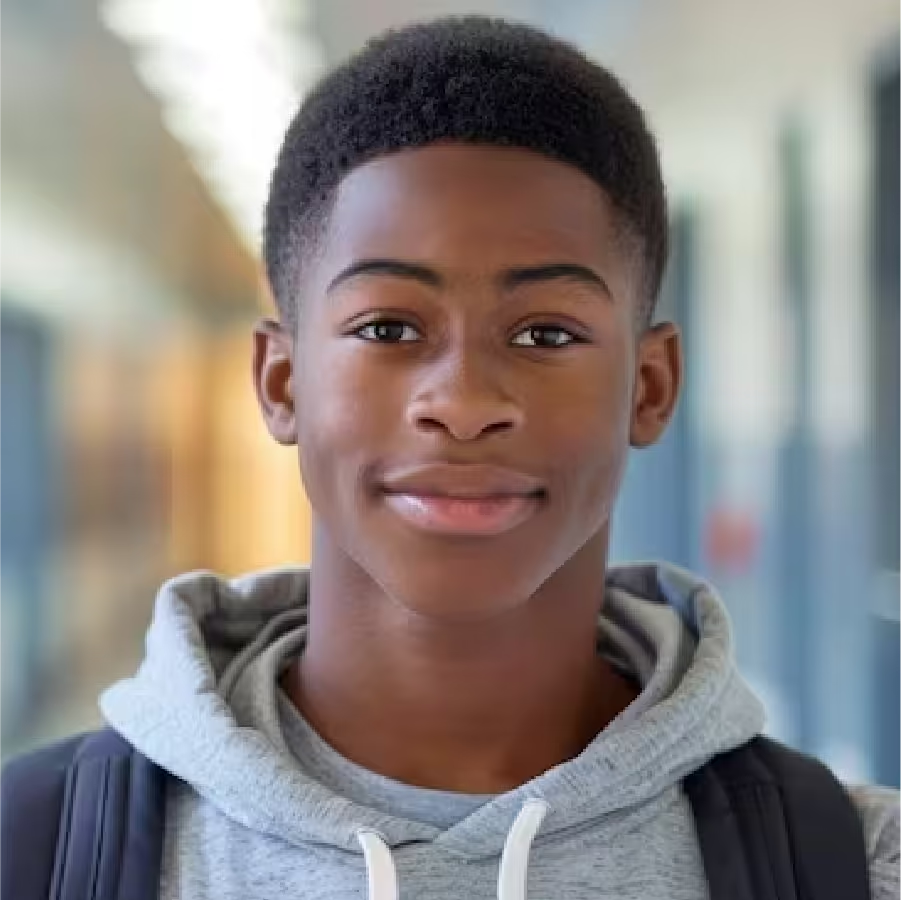
Maxine, 14, needs safe and accessible after-school activities for herself and her younger brother, but without reliable programs or support in her neighborhood, staying ahead academically feels out of reach.
David
16 Yrs
9th Grade
Cincinnati, OH
Parents & Sister
David, 16, is an academically driven coding enthusiast with cerebral palsy who can't find programs that accommodate his assistive technology, leaving him isolated from the very communities he belongs in.
By mapping how each persona navigates the problem space, we uncovered specific moments where better design could reduce friction and build confidence.
1
Search
2
Identify
3
Review
4
Confirm
5
Participate
6
Outcome
Max
Action
Searches for local after-school programs online and through community resources
Feeling
Hopeful
Outcome
App needs comprehensive, easy to find program listings
David
Action
Searches for accessible coding resources and clubs online
Feeling
Hopeful
Outcome
App needs accessible, filterable program listings
Max
Action
Identifies programs that are safe, engaging, and affordable for her and her brother
Feeling
Overwhelmed
Outcome
Safety and affordability filters are critical
David
Action
Identifies programs that accommodate his assistive technology needs
Feeling
Excited
Outcome
Accessibility filters must be a core feature, not an afterthought
Max
Action
Reviews activities and selects those that suit her and her brother's needs
Feeling
Relieved
Outcome
Side by side comparison of programs helps decision making
David
Action
Reviews available coding tutorials and clubs
Feeling
Supported
Outcome
Clear compatibility information reduces friction
Max
Action
Confirms program details including location, timing, and cost
Feeling
Satisfied
Outcome
Confirmation screen must include pickup/dropoff and cost details
David
Action
Registers for selected program and confirms accommodations
Feeling
Relieved
Outcome
Accommodation confirmation reduces anxiety before attending
Max
Action
Registers for chosen programs for herself and her brother
Feeling
Anxious
Outcome
Registration must support multiple attendees in one flow
David
Action
Participates in coding activities and connects with peers
Feeling
Excited
Outcome
Peer connection features increase engagement and belonging
Max
Action
Attends programs and enjoys activities together with her brother
Feeling
Happy
Outcome
Post-event feedback and ratings improve future recommendations
David
Action
Showcases coding projects in a supportive, inclusive environment
Feeling
Proud
Outcome
Showcase features build confidence and community
With the user journey mapped, the next step was to identify and organize all potential features. I created a comprehensive list of ideas and grouped them by category, using color coding to visualize relationships and priorities.

With a deep understanding of user pain points, detailed personas, comprehensive journey maps, and a prioritized set of features, we began the Develop phase: wireframing user flows, refining information architecture, and building low-fidelity prototypes that would guide self-directed validation before high-fidelity design.

Develop

Four friction points became four questions the design had to answer
How might we...
Put every program's key details in one place, filterable at a glance?
How might we...
Make joining, and leaving, something done in minutes, not hours?
How might we...
Give students a mentor who can point them toward what's next?
How might we...
Make mentorship something a student finds, not something they're born into?
With those four questions in front of me, the next step was translating them, along with the grouped and prioritized feature list, into structure. The sitemap and information architecture organized the app around six destinations, ensuring users could move through the experience without ever feeling lost.
AfterSchool — Mobile
Dashboard
Hamburger Menu
(Four primary destinations below, plus the hamburger menu, reachable from anywhere, for account & utility screens)
Calendar
  • My Schedule (Programs Only)
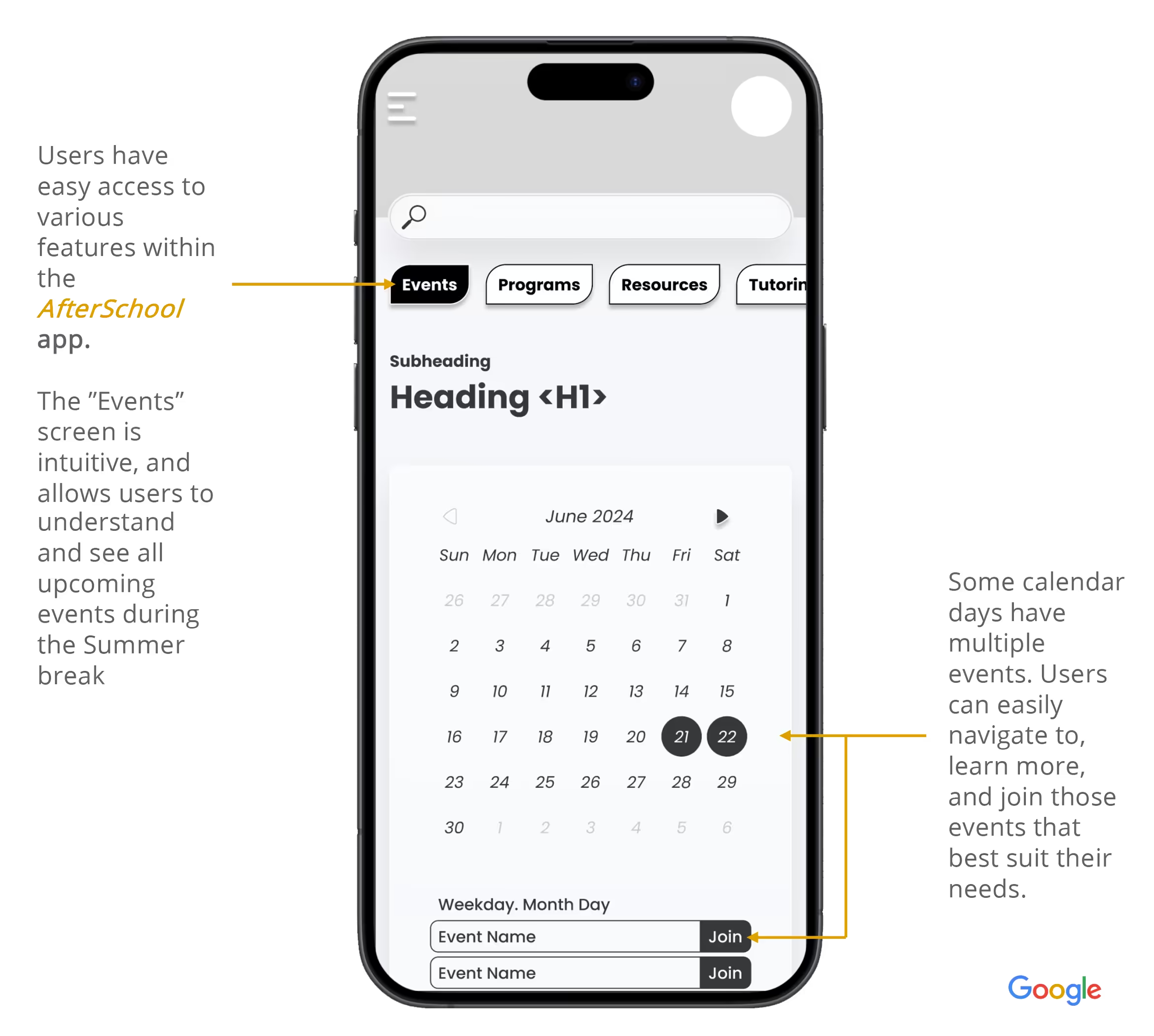
  • Monthly Calendar View
  • Reminder Toggle per Program
Chat
  • Chat List (Programs & Mentors)
  • Program Group Chat
  • Mentor Direct Chat
  • Leave Program / Mentorship
Programs
  • Search Bar
  • Featured Programs
  • Program Categories
  • Program Details
  • Registration
Mentorships
  • Mentor Directory
  • Mentor Profile (with Portfolio)
  • Mentorship Request (Terms, Goals, Availability)
Community
  • Planned — not yet built
Resources
  • Planned — not yet built
Scoped out to keep this build focused on discovery, registration, and mentorship — the moments this case study centers on.
Additionally Accessible via Hamburger Menu
Settings
  • Notifications (Email & SMS)
  • Text-to-Speech
  • Voice Commands
  • Font Size
  • Data Encryption
My Account
  • Grade Level
  • Name
  • Date of Birth
  • Phone Number
Support
  • Rate Us
  • Customer Support
  • Privacy Policy
  • Terms of Service
  • Social Channels
  • Report a Bug
  • Delete Account
Flag icon
Future Consideration
This phase focused on turning the feature list and pain points directly into structure and flows. A useful next step would be a flow-level competitive analysis: walking through apps like Outschool or classroom tools such as ClassDojo step by step to extract interaction-level lessons, then folding those into the flows below.
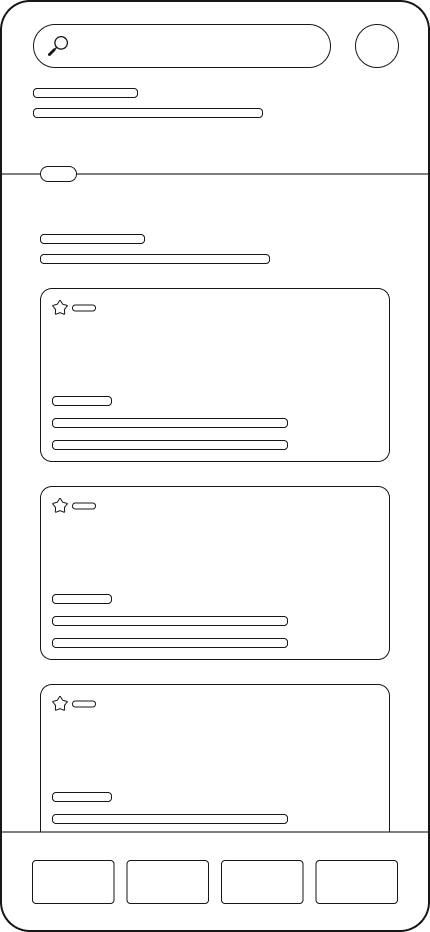
With the structure in place, we mapped how users would actually move through it, split into three flows: entry and navigation, program registration, and the mentorship request process.
Two doors, one Dashboard. New or returning, everyone lands in the same place.
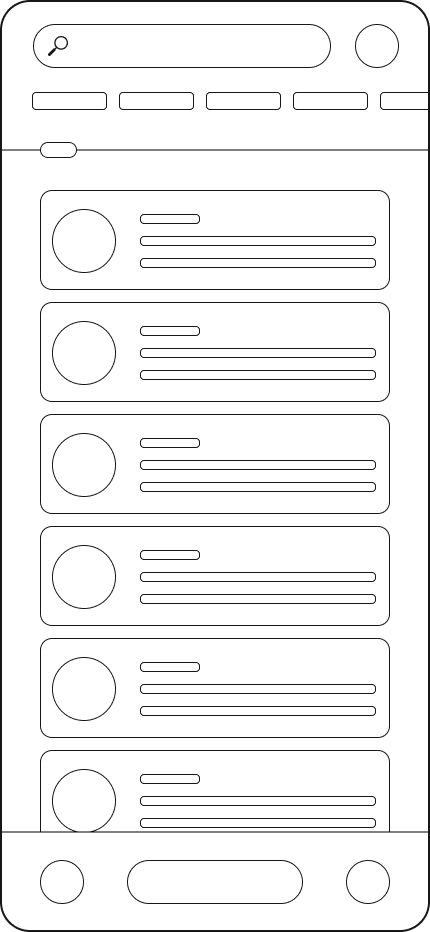
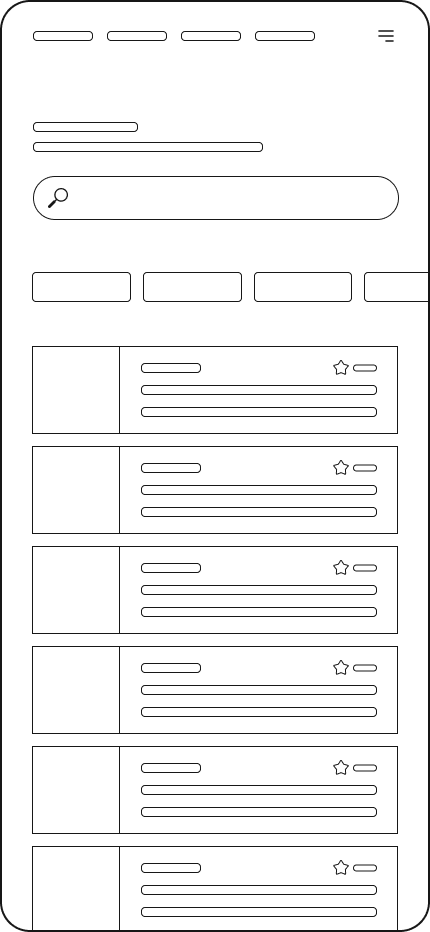
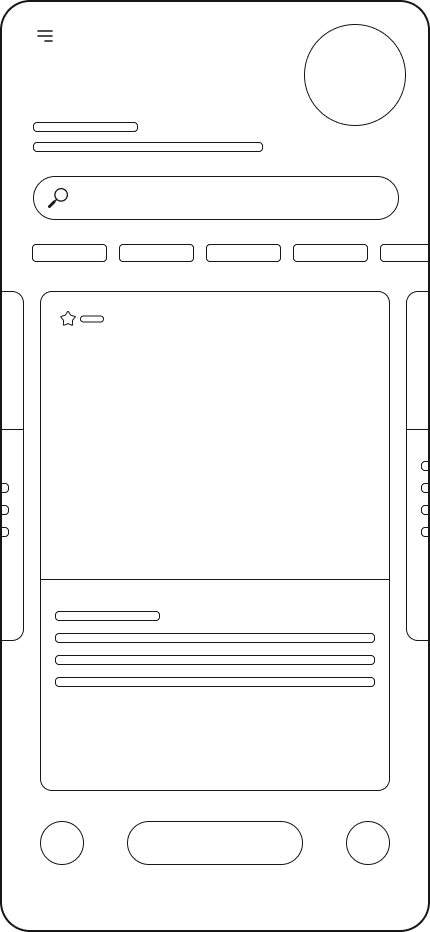
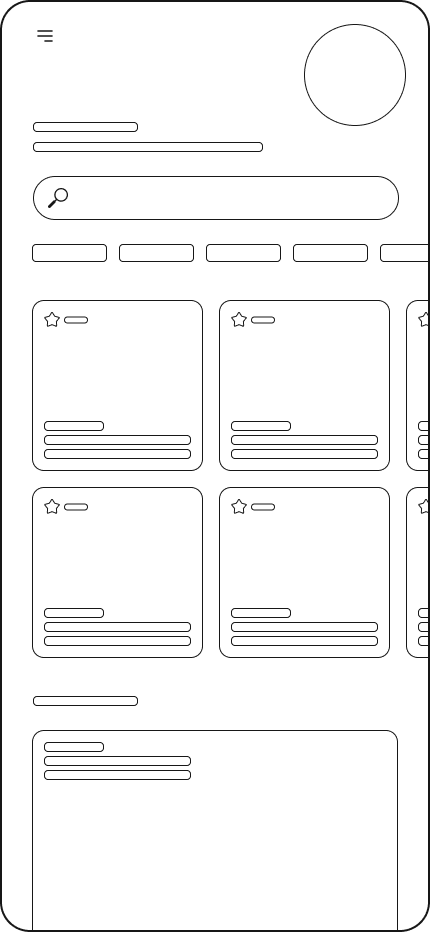
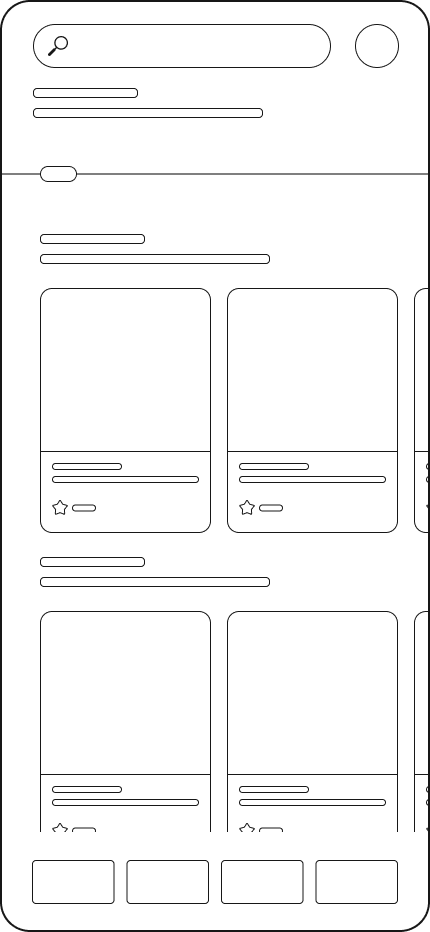
With the structure and flows mapped, it was time to sketch. Paper wireframes allowed us to explore layouts, hierarchy, and interactions quickly, prioritizing ideas over polish.
With the flows mapped, I moved into digital wireframes, sharpening proportions, spacing, and component relationships while keeping the focus on structure over visual design.
With each screen defined, the next step was connecting them. The lo-fi prototype brought the wireframes to life, allowing us to validate flows and the overall experience through self-directed testing before high-fidelity design.

With a refined information architecture, mapped user flows, polished wireframes, and a tested lo-fi prototype, we entered the Deliver phase: shaping the design into high-fidelity mockups, refining the experience through iterative validation, ensuring accessibility, and bringing the final product to life for the students it was built for.

DELIVER

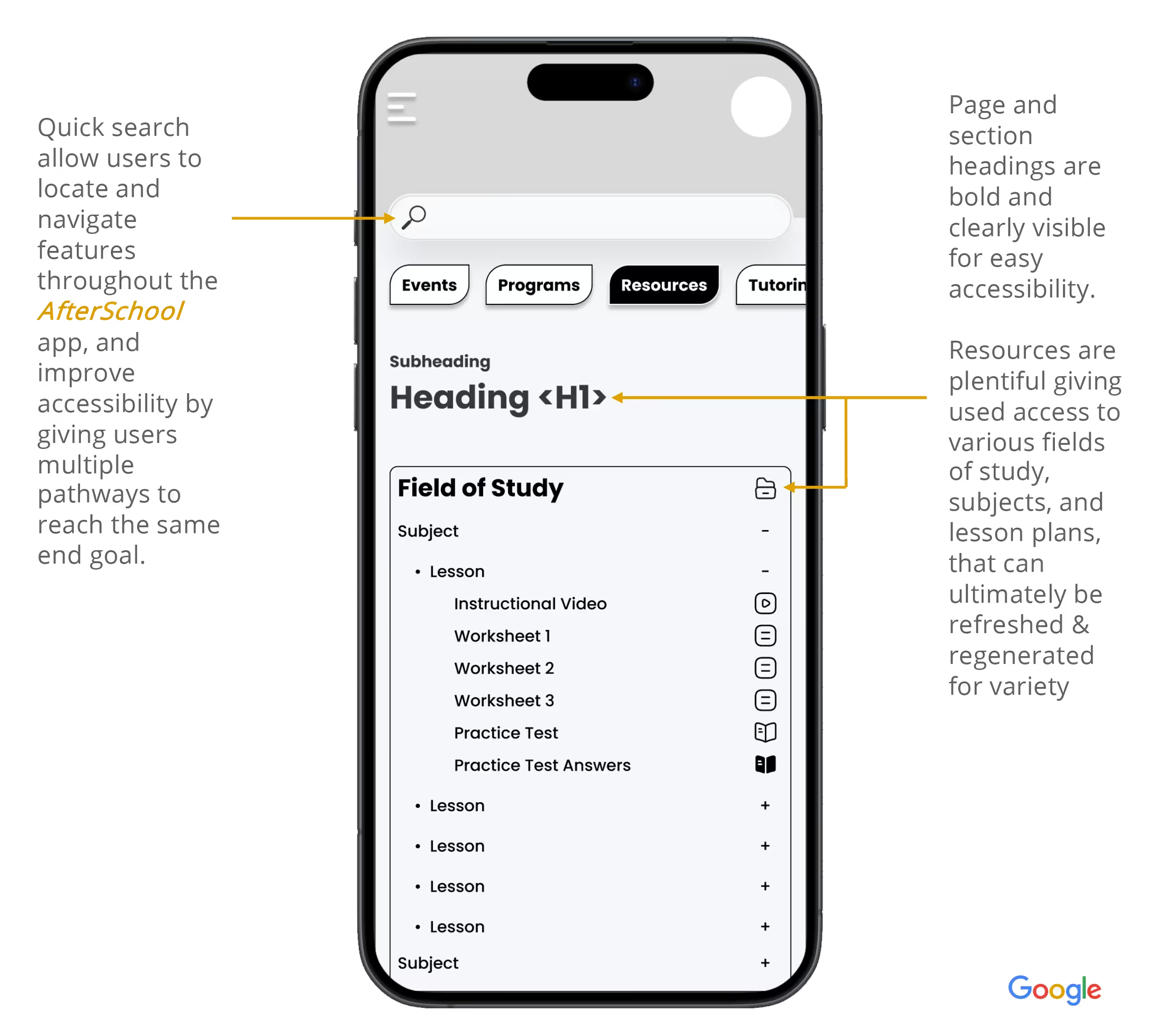
User journey mapping and the research phase surfaced five outcomes the design had to deliver on. Each one maps directly to a barrier identified earlier, and each shaped a specific part of the final product. These were the goals the design set out to meet. Judge for yourself how well it did.
Discoverable
Programs surface through a searchable, filterable listing by format, accessibility needs, age group, and schedule.
Scannable
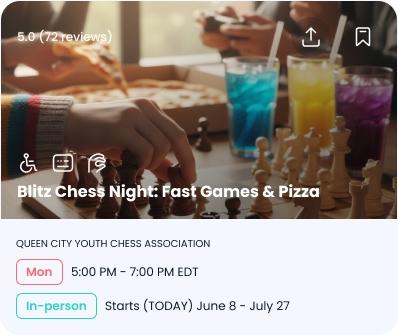
Cards clearly show the host organization, format, and registration details, so students decide fast.
Family-ready
Multi-attendee registration lets students like Maxine enroll alongside a sibling in one flow.
Connected
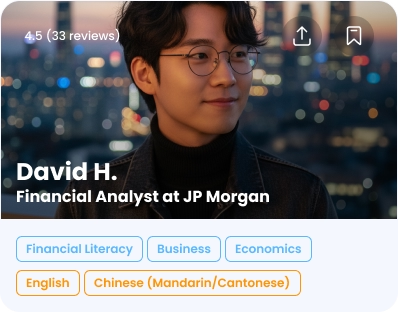
Peer and mentor features help students like David find community, not just programs.
Reliable
A personal calendar tracks programs and sends reminders, turning enrollment into attendance.

Before the final prototype, it's worth pausing on how these outcomes actually get built. The next two pieces, Mapped Out and Read Your Way, pull back the curtain on how students find programs near them and how the text adapts to each reader, choices running underneath everything you just read.

The map is a second way to browse the same programs, built around where you are instead of in a list. It shows your location alongside every available program, so you can see at a glance what's close to home. Step through the programs and the map pans to each one, drawing the route and distance from David's location. Online programs get a globe pin and no route, since there's nowhere to travel. For students who get around on foot or by bus, what's nearby often decides what's realistic.
SPRING GROVE VILLAGE SAINT BERNARD NORTHSIDE NORTH AVONDALE CLIFTON AVONDALE EVANSTON UNIVERSITY HEIGHTS SOUTH FAIRMOUNT CORRYVILLE WALNUT HILLS CLIFTON HEIGHTS QUEENSGATE OVER-THE-RHINE Cincinnati Ohio River NEWPORT COVINGTON
DR
DAVID R.
1.3 mi away
1 of 10
Every piece of text in the app pulls from the same six size tokens, so switching between Small, Medium, and Large is one setting, not a redesign. In the app, that setting lives in the Settings panel, reached through the menu. Body text gets the widest range, since that's what people actually struggle to read. Headings move only two pixels either way, which keeps the hierarchy intact at every size. Navigation stays fixed, so icon and text buttons always line up. Tap a size below to see the same card update live.
TokenSML

Sizes in px. Line heights are set in %, so they scale with each size automatically.

Programs
Homework Help Lab (Grades 6-8)
MonWed2:30 PM - 4:50 PM EDT
In-PersonStarts today, June 8 - July 29

Bring your homework and any class materials. Drop in, no prep needed.

Walnut Hills Library
2533 Kemper Ln, Cincinnati, OH 45206

A program only helps if a student can find it, get to it, and read about it comfortably. Location, adjustable type, and scannable badges run through every outcome that follows.

Before the high-fidelity prototype, here's where five of AfterSchool's key outcomes were actually addressed in the design. Tap an outcome to see the real flow behind it: filtering programs and mentors, scannable program and mentor cards, bringing a guest, program chat groups, and joining with calendar reminders.

Filters narrow programs by format and day, and mentors by focus and language, so a student can go from the full list to what actually fits their schedule and needs in a couple of taps.

Filters
Results

Program and mentor cards share one scanning pattern. The details that decide whether a student taps, like days, format, skills, and languages, sit in badges up front instead of behind a tap.

Registration lets a student bring one guest. A sibling or friend is always welcome, but the one-guest limit keeps sessions from turning into cliques, and anyone else can sign up on their own profile.

Teen Makerspace:
3D Printing & Design
Wed1:30 PM - 3:20 PM EDT
In-PersonStarts June 10 - July 29
2701SG
2701 Spring Grove Ave, Cincinnati, OH 45225
Requirements:
Closed-toe shoes required! All tools and materials provided. Ages 13+; under-16 may need a guardian waiver signed on arrival.
Bringing a Guest?
One guest per registration. Anyone else can create a profile and join on their own.
I agree to AfterSchool's Terms of Service and Privacy Policy, and consent to receive program-related notifications.

Joining a program opens its own chat with two modes: a direct thread with just the host for questions a student would rather not ask in front of the group, and a group thread with everyone plus the host.

Intro to Coding with Python & AI

Joining adds every session to the student's calendar with an optional reminder, and leaving takes one tap with no penalty, so committing to a program never feels risky.

Your week · June 7 - 13
Join one or both programs to see them stack on your calendar.
With each outcome addressed, the next step was bringing it all to life visually, layering in the real UI, color, and motion. Go play around, tap everything, and see what breaks!
Usability Testing
Conduct formal usability testing with students from underserved communities to validate design decisions and surface friction points that weren't captured in the research phase.
Iteration Based on Feedback
Responses collected through this portfolio review form will be used to identify gaps between intended outcomes and perceived outcomes, informing the next round of design improvements.
Feature Expansion
Community and Resources were scoped out to keep this build focused on discovery, registration, and mentorship. Future iterations would build out discussion forums, a resource library, progress tracking, and program ratings.
Accessibility Audit
Conduct a formal accessibility audit with real assistive technology users to validate that the accessibility filters and program listings work as intended for students like David.

That's where AfterSchool stands today. If you made it this far, thank you, genuinely. This one's personal: it's about the students who fall through the cracks not for lack of potential, but because nobody built the bridge yet. I'd love to know how it lands for you.

How did we do?
Discoverable

Could you use search and filters to find a program that actually fit what you were looking for?

Scannable

Did each program card give you enough — host, format, registration details — to decide without digging further?

Family-ready

Did registering alongside a sibling feel like one simple flow, not two separate signups?

Connected

Did the mentor and program chat features make this feel like joining a community, not just signing up for something?

Reliable

Did the calendar and reminders give you a clear, trustworthy way to track what you'd signed up for?

Thank you! Your submission has been received!
Oops! Something went wrong while submitting the form.